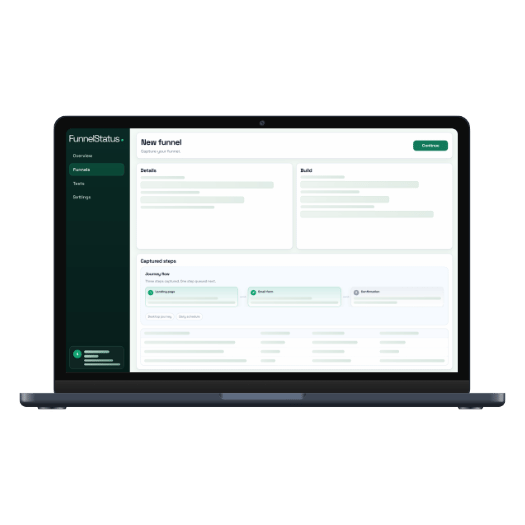
Overview
Snapshot Builder and test tools.
System status
Idle
Quick actions
Recent runs
Next scheduled
Recent runs (7 days)
0 successes
0 fails
Funnels at risk
Funnels
Funnel details
Funnel name ?
Starting URL ?
-
Device ?
-
Frequency ?
Notify emails ?
Last success ?
-
Last failure ?
-
Next scheduled run ?
-
Steps
Test funnel
Funnel details
Idle. Cold starts may take 10-30s on first run.
Form entries
Test run
Preparing your test run...
Funnel
-
Frequency
-
Device
-
Notify
-
Tests
Account & billing
Account email
Signed in
Billing email
-
Plan
-
Renewal
-
Billing frequency
-
Billing period cost
-
Current billing period
-
Next billing date
-
Status
-
Max funnels
-
Max domains
-
Account updates
billing@funnelstatus.comAccount & billing
Explanation
Invite someone to Funnel Status
How it works
- Email us to request a referral code.
- Share your code with a colleague or client.
- When they become a paying customer, you both receive a free month.
Request a referral code
Request referral codeFAQ
When do rewards apply?
Is there a limit?
Can I refer clients?
Getting started
- Open Funnels and select New funnel.
- Add a starting URL, device, frequency, and notification emails.
- Capture steps and run a test before enabling scheduled runs.
Building funnels
- Use the interaction mode that matches the element (click, hover, form, or URL).
- Confirm each step before moving on to the next one.
- Use Advanced to review or edit a selector if a step fails.
Running tests
- Open a funnel and click Run test to start a manual run.
- Results appear in Tests with step-by-step status.
- If a test fails, review the failing step and selector.
Scheduled tests
- Enable a funnel to allow scheduled runs.
- Next run time is shown on the funnel tile.
- Repeated failures can pause frequent runs.
Reading results
- OK: step completed successfully.
- Error: step failed; inspect the error message and selector.
- Diagram: visual overview of which steps passed or failed.
Alerts and notifications
- Add emails on the funnel details page.
- Warnings appear when a funnel is enabled without emails.
- Keep notification lists current for shared ownership.
Troubleshooting
- If a step fails, re-open the funnel and reselect the element.
- Check that the element is visible and clickable on the page.
- Long pages may need extra time for the snapshot to load.